
Graphical Circuits - An open-source wiring tool
Learn about Graphical Circuits and how it can help you make beautiful wiring diagrams for your tutorials, websites, and learning guides.
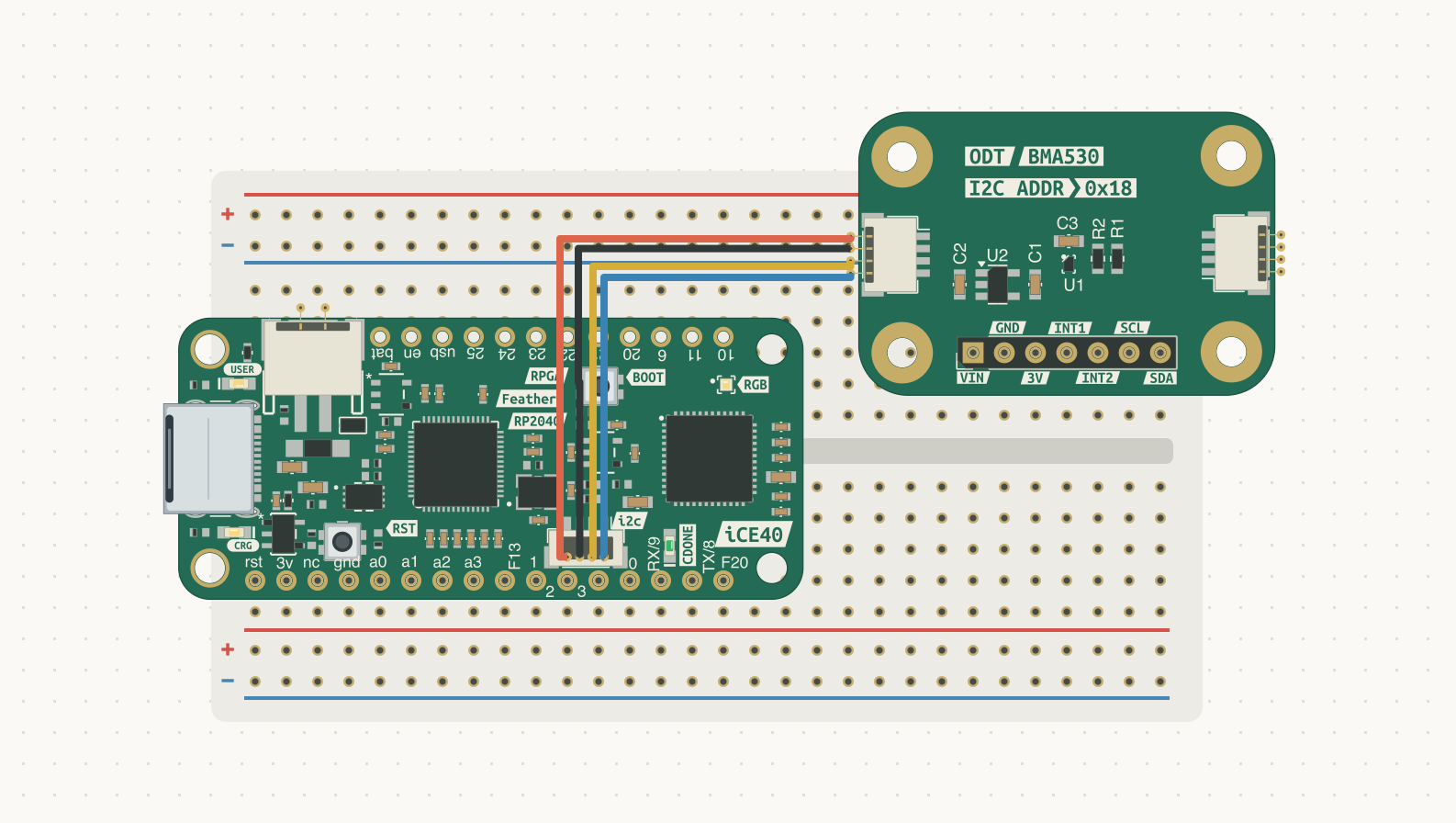
What the heck is Graphical Circuits?
You might be looking at this article and wondering, "What the heck is Graphical Circuits?" That's a perfectly valid question. It's a tool I released on GitHub over the weekend to make it easier for me to create wiring diagrams for learning guides. You might also wonder, "Why not use Fritzing?" That's another valid question. Fritzing is an amazing tool, yet its licensing can be a bit difficult for small businesses to manage. It works for a lot of people, and that's respectable. The creators have spent a lot of time making it into a great tool for visualizing breadboard circuits.
With that in mind, you might still wonder, "Why not just pay for the license and move on?" The answer is that it's easier than ever to build tools to help with your business. And, right, wrong, or indifferent, sometimes tools you use yourself and share as open source can be written with AI. I used Codex to help develop the idea into something usable in less time than I could have on my own. And there isn't anything wrong with that.
What can Graphical Circuits do?
The big feature I wanted was the ability to extract board representations from KiCad board files. I spend enough time making my PCBs that I don't want to fuss too much with importing them into a wiring diagram tool. That's what Graphical Circuits does: it creates boards you can wire up from .kicad_pcb files, including connectable headers and connectors. For example, you can show a connection between two STEMMA QT/Qwiic connectors.
This is particularly valuable to me because I can take a board as it exists today, quickly import it, place it on a virtual breadboard, and connect it to other boards I've imported. It works with basically any valid KiCad board file, too.
While it might not be perfect, it can improve over time. I'll keep improving it as I discover edge cases where components aren't represented correctly or spacing doesn't work out well. It's open source and available on GitHub under the MIT license. Keep in mind that importing a board into Graphical Circuits doesn't make that board's design MIT-licensed. Imported designs retain their original licenses, so be aware of those terms when sharing wiring diagrams.
What platforms does Graphical Circuits run on?
Graphical Circuits currently runs only on macOS and is written in Swift. The door is open to forks, so if you want to have your AI agent port it to Linux or Windows, that's an option. Over time, I might have the project modified to build for other operating systems, though that's not a high priority. This tool was mostly made to make my own life easier when writing learning material for Kavrous boards.
Final thoughts
Graphical Circuits is another open-source tool that Kavrous is behind, and it certainly won't be the last. As we develop more tools, we'll share the ones that make sense to release to the world. That collection will continue to grow with every passing week.
Kavrous is built on open hardware, and that means open tooling is core to our identity. If you've used Graphical Circuits, let us know! Email your feedback to Seth Kerr.
Explore the Graphical Circuits project on GitHub.
Seth Kerr
Founder and CEO
Kavrous Technologies