 OpenChippy
Design digital circuits.
See how they work.
Draw CMOS schematics, build reusable circuit blocks, inspect digital waveforms, and explore generated layouts in 3D.
OpenChippy is an open-source desktop workspace for learning and experimenting with chip design.
v0.1.0-alpha.1 · Apple Silicon macOS · GPL v3
Build with transistors and reusable blocks.
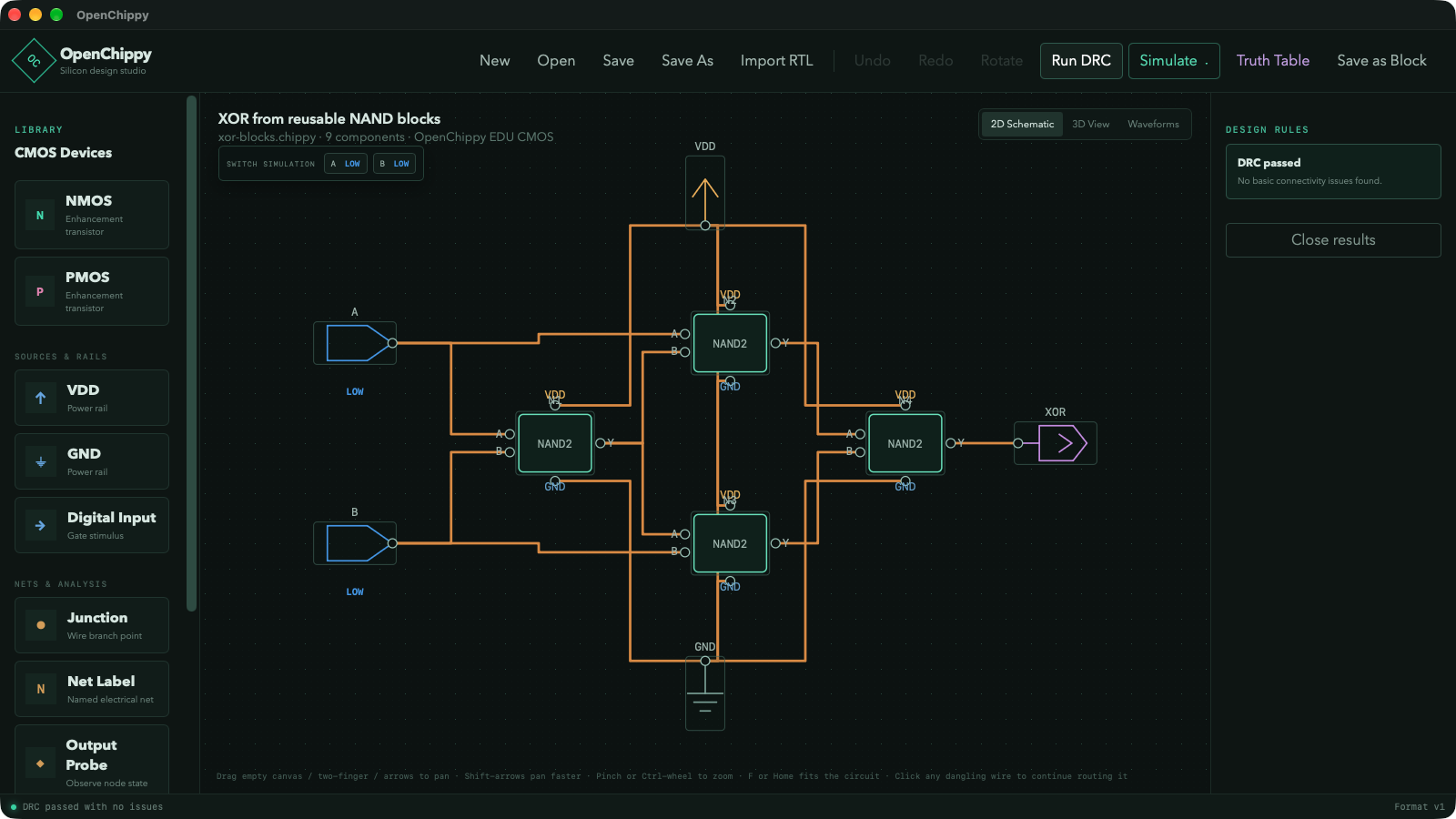
Start with NMOS and PMOS devices, connect inputs and output probes, and turn a working circuit into a block you can use again. Nest those blocks to build larger designs without redrawing every transistor.
From a small circuit to a physical layout.
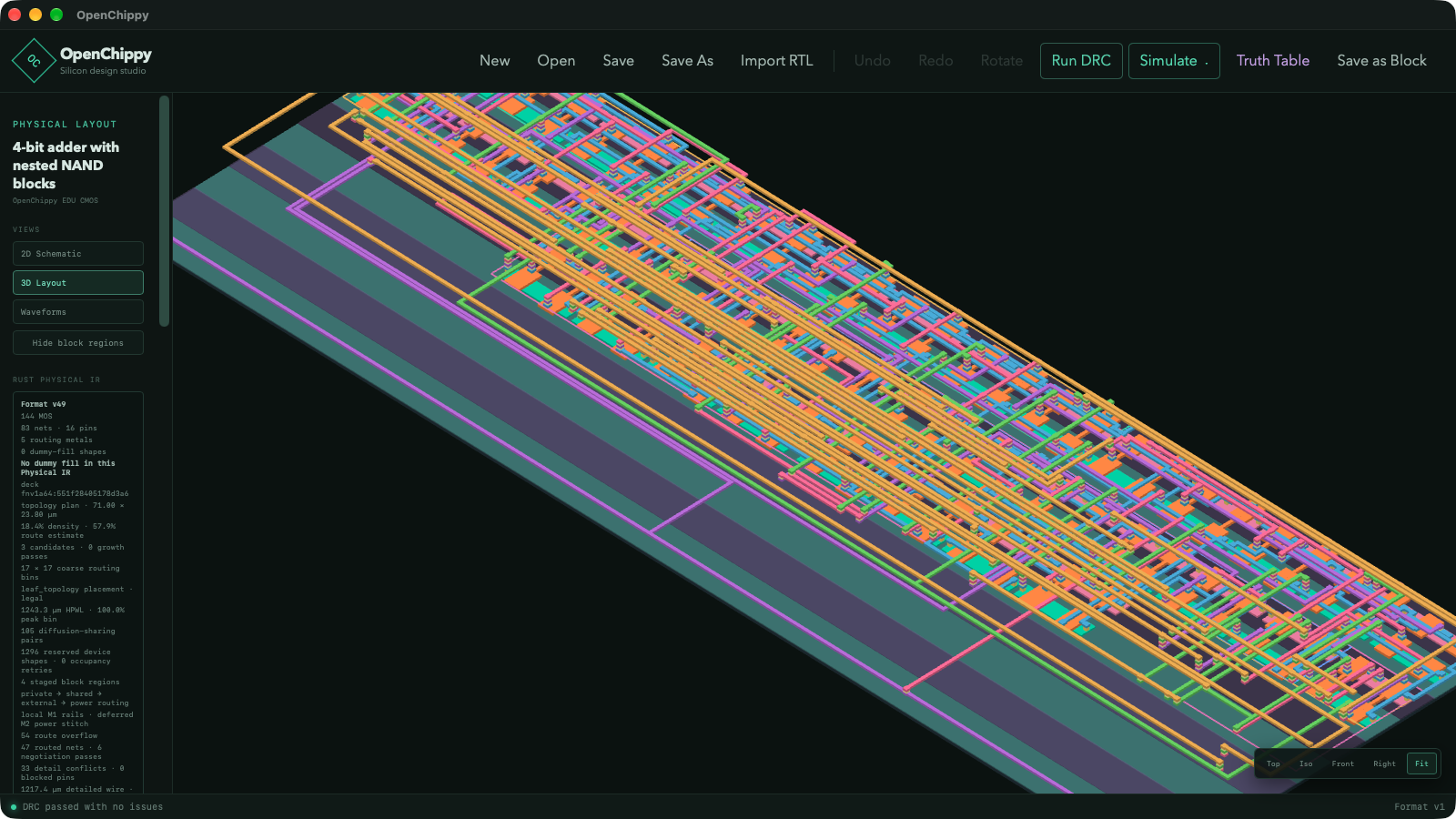
Complete an XOR circuit built from NAND blocks, then switch to a four-bit adder with nested full-adder blocks and 144 transistors. Watch its physical layout generate and inspect the result in 3D.
Follow the signals over time.
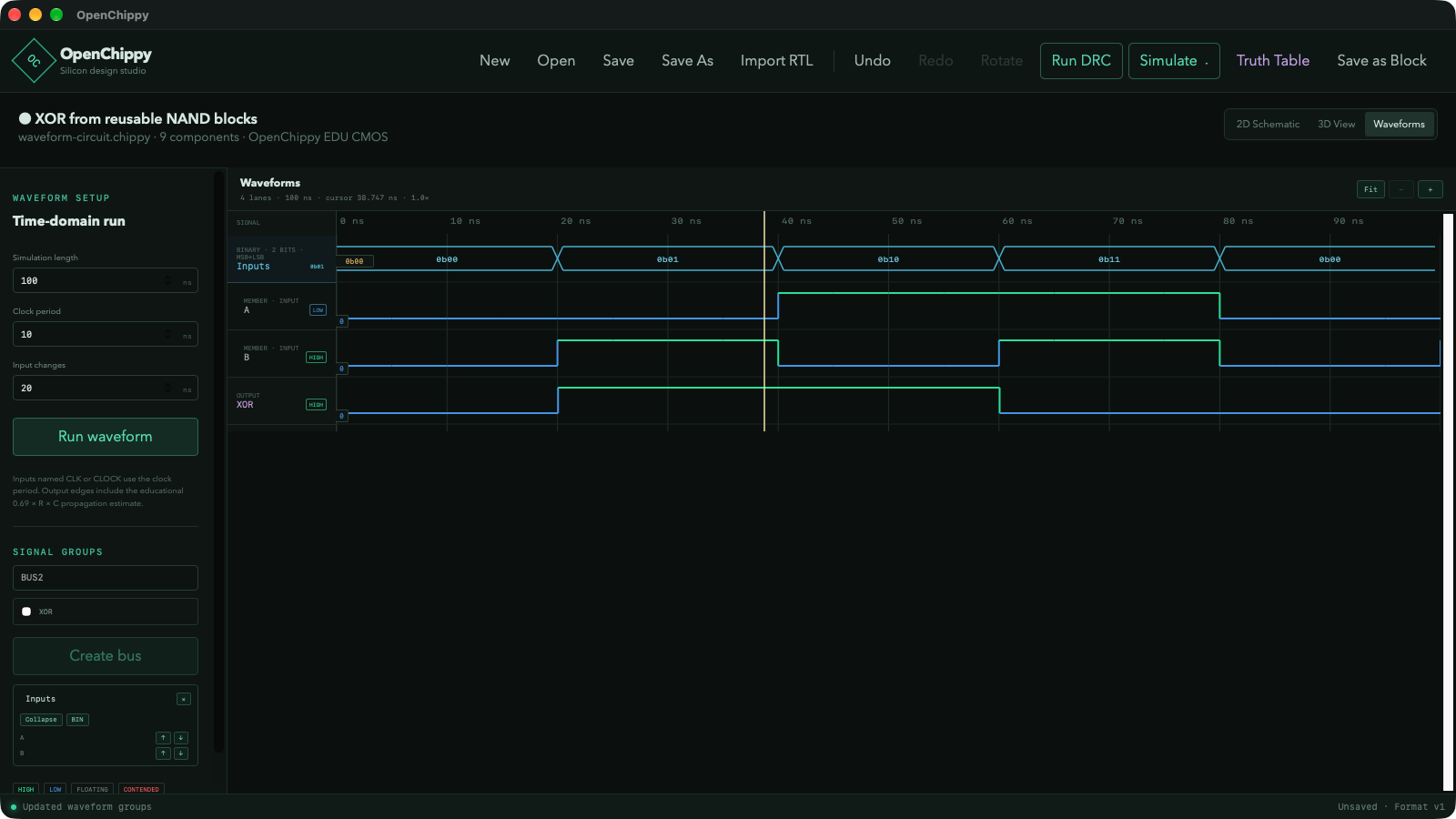
Run a timed input sequence and compare it with the circuit’s output. Move the cursor to inspect signal values, zoom into transitions, and group related inputs into a binary or hexadecimal bus.
Try OpenChippy.
The alpha is available on GitHub, along with the source, release notes, and example projects. Feedback and bug reports are welcome.